This guide is an example of how to use cPFence MonitorPro for keyword monitoring on your own sites or on any external website, even if it is not hosted in your cluster. The same method can be applied to monitor updates, changes, or specific content on any public URL.
Open the cPFence WebUI
Go to MonitorPro Sites Editor
Click on Add New Domain
In the Domain field, enter:
enhance.com/support/release-notes (Yes, no https://)
In the Not Wanted Content field, enter the version you are waiting for, for example:
12.13.2
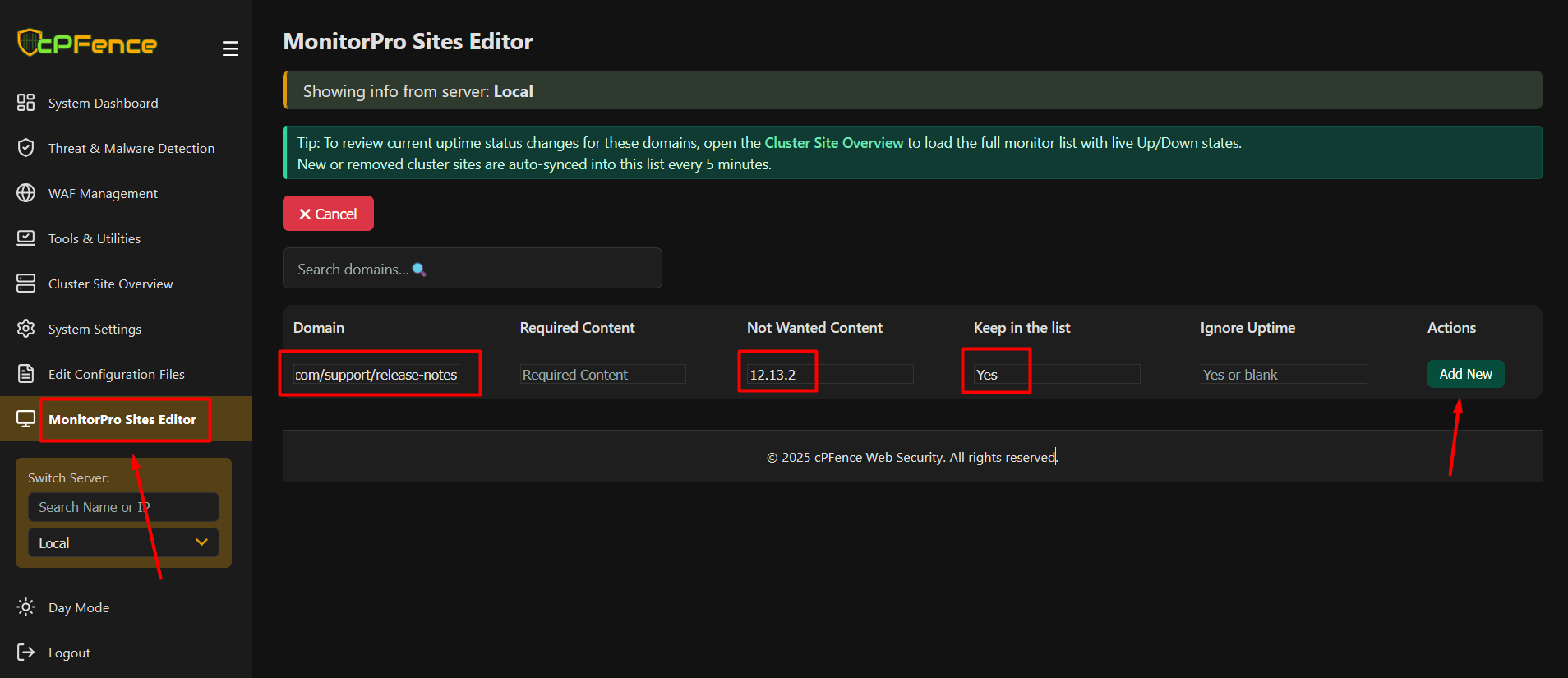
- Click "Add New" to save the entry
How it works:
As long as this version number is not found on the page, MonitorPro will continue monitoring it. Once the Enhance team publishes this version on their release page and the version string appears, cPFence will detect the change and send you a notification by email or Slack if notifications are enabled.
You can also use the same feature by adding a value in the Required Content field, for example any text that should always exist on your homepage. This helps you detect silent failures such as white pages or broken output that may slip through other monitoring systems.
